Agent Systems · 21-c01
26 June 2026 · Concept map
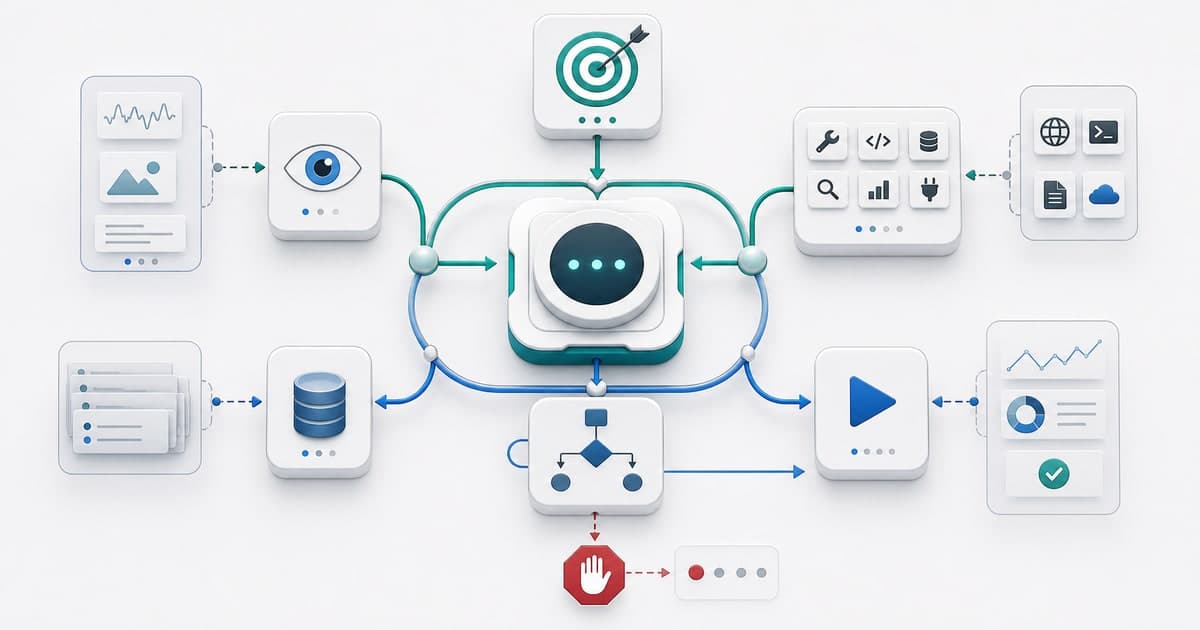
Calling a system an agent is not just giving the model a fancy name. An agent observes an environment, decides under a goal, acts through tools, carries state across steps, and knows when the run should terminate.
- Boundary
- environment + permissions
- Core
- observe -> decide -> act
- Memory
- state + history
- Exit
- Termination rules
Terms in this post
- agent
- environment
- goal
- state
- tool
- loop
- termination
The word agent gets attached to almost everything now: chatbots, workflows, one-shot tool calls, background automations. They are not all agents, but they can be placed on the same axis.
A short test: does the system merely answer, or does it choose its next step toward a goal, take feedback from the environment, and continue? The second case is where agency begins.
Agent boundary
The classic agent frame puts a system inside an environment: it perceives through sensors and acts through effectors. In software, a sensor may be a user message, file, API result, test output, or browser DOM.
environment
observations
agent
state
S
policy
π(a|s)
tools
T
success criterion
actions
actions change the environment, new observations follow
So the agent is not the model itself. The model may be the decision engine; the agent is the boundary around it: what can it observe, what can it change, which state persists, and what success criterion drives the run?
"An agent is anything that can be viewed as perceiving its environment through sensors and acting upon that environment through actuators."Three flows
A chatbot, workflow, and agent may look similar; the difference is control flow. A chatbot replies. A workflow follows predefined steps. An agent dynamically chooses the next step at runtime inside an allowed space.
1 turn
path fixed in code
path chosen at runtime
This is not a ranking. In many products, a workflow is cheaper, faster, and safer. An agent is worth it when the path is uncertain, the environment changes, and model-directed process control buys real flexibility.
"Workflows are systems where LLMs and tools are orchestrated through predefined code paths. Agents ... are systems where LLMs dynamically direct their own processes and tool usage."Goal measure
An agent's goal does not have to be a natural-language desire. A passing test suite, completed form, user approval, cost limit, or reward signal can all be goals.
user intent
task spec
success criterion
constraints
examples
A vague goal pushes the agent into endless chat mode. A good goal constrains action: 'find the failing test in this repo, make a minimal fix, and stop when the test passes.' Small wording difference, large operational difference.
State
Without state, every step is a fresh guess. With state, the system knows where it is: what the user asked, which tools were tried, what observations arrived, which files changed, and which hypotheses failed.
stateless tool call
stateful run
working memory
active goal + last observation
history
tool calls + results
episodic memory
summaries of previous runs
semantic memory
persistent knowledge / docs
procedural memory
how-to knowledge
State does not mean saving everything. Good state is selective: active goal, last observation, critical decisions, failed attempts, and the evidence needed to continue. Junk state slows the agent down; missing state sends it back into the same mistake.
Tool surface
A tool gives the model contact with the outside world. Search, code execution, file reading, calendar updates, ticket creation, or browser clicks can all be tools.
policy: schema + permissions + errors + idempotency
read-only
search, file read, log inspection
write
open PR, update ticket, draft email
dangerous
delete, spend money, prod deploy
That makes tool design API design. If names, schemas, errors, permission boundaries, and idempotency are unclear, the agent may look smart while behaving brittle. For tools that write, spend money, send email, or delete data, human approval is part of the design.
Agent loop
A one-shot tool call is not an agent; it is an answer with an instrument. Agency emerges in the repeated loop of observation and action: observe, decide, act, observe again.
model sınırının içinde
iç eylemler: reasoning, retrieval, reflection
model sınırının dışında
dış eylemler: API, browser, shell, database
A loop is power, but also risk. Every turn adds cost, accumulates error, and can create unexpected side effects. So the loop is a controlled run surrounded by budgets, permissions, repetition detection, and validation.
"Designing an agent is not telling a model to be smart; it is binding observation, action, state, and stopping conditions into an explicit contract."
Stop
Termination should be a first-class part of agent architecture, not a brake bolted on later. The agent's worst mistake is sometimes not a wrong answer, but continuing where it should stop.
success
goal criterion satisfied
no more tool work
final answer ready
max turns
budget exhausted
repetition
same action + same observation
guardrail
permission or safety boundary
human input
approval required
Good termination has several exits: final answer, passing test, terminal state, max iteration, repeated observation, guardrail failure, tool error, or waiting for human approval.
Checklist
Before calling a system an agent, ask five questions: where is the environment boundary, who judges success, which state persists, which tools run under which permissions, and when does the run stop or return to a human?
If those answers are clear, the agent is not a marketing label; it is a software component whose behavior can be reasoned about in production.